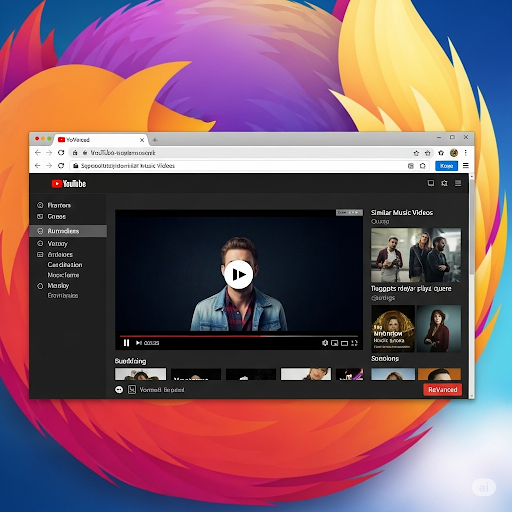
Tăng Tốc Xem Video YouTube trên Firefox: Tự động nhận diện video nhạc tương tự “ReVanced”

Vì sao tôi cần tính năng này?
Tôi là người thường xuyên học tập, nghiên cứu và tìm kiếm tài liệu qua YouTube. Tuy nhiên, một thực tế không thể phủ nhận là: phần lớn thời lượng video trên YouTube chứa nhiều nội dung dư thừa – lời dẫn dài dòng, intro không cần thiết, hoặc cách trình bày thiếu trọng tâm.
Điều này khiến tôi mất thời gian và giảm hiệu suất.
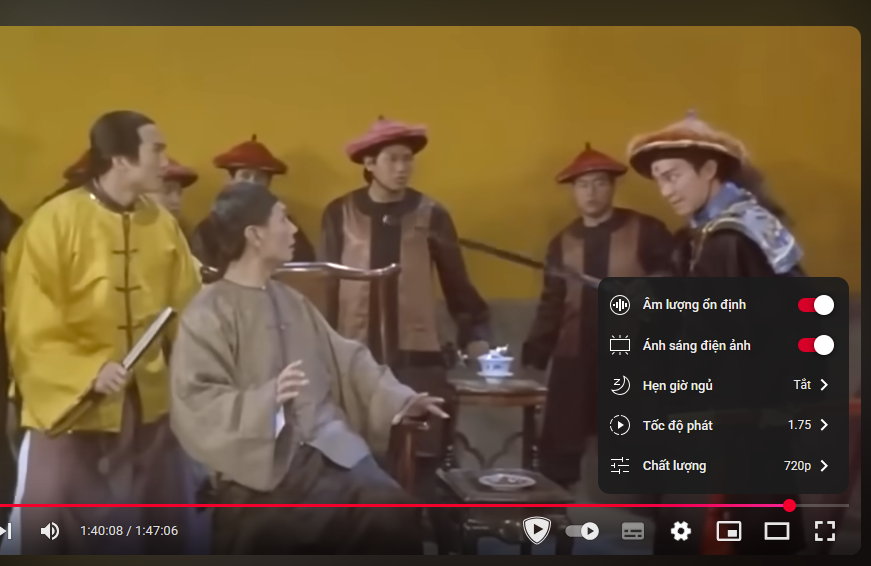
Khi sử dụng YouTube ReVanced trên điện thoại, tôi cực kỳ hài lòng với tính năng tăng tốc phát video (playback speed) tùy ý – có thể đẩy lên 2.5x, 3x hoặc hơn, chỉ bằng một cú chạm. Nó giúp tôi “đọc” video thay vì “nghe” video. Tôi kiểm soát được tốc độ, tiết kiệm thời gian, tập trung vào nội dung chính.
Nhưng trên desktop? Mọi thứ lại không đơn giản như vậy.
Firefox – nền tảng mở, nhưng thiếu tính năng này
Firefox là trình duyệt tôi tin tưởng và sử dụng lâu dài vì tính mở, nhẹ, và bảo vệ quyền riêng tư. Nhưng tôi không tìm thấy addon nào thực sự đơn giản, gọn nhẹ và mô phỏng tính năng tăng tốc thông minh như ReVanced.
Vậy nên tôi quyết định viết một đoạn script nhỏ – dễ hiểu, không phụ thuộc thư viện ngoài, cài đặt nhanh gọn thông qua Greasemonkey, Violentmonkey hoặc Tampermonkey.
Giải pháp: Script tăng tốc video YouTube cho Firefox
🔧 Cách sử dụng
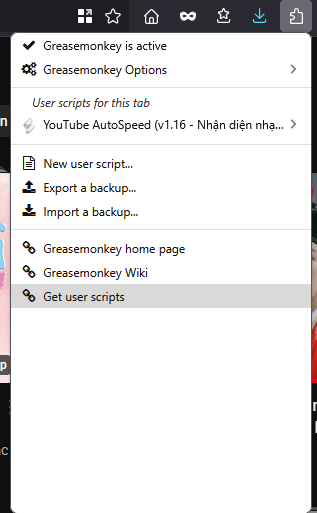
- Cài đặt Tampermonkey, Greasemonkey (nếu bạn chưa cài):
Mở Tampermonkey → Create a new script → Xoá nội dung mẫu và dán đoạn mã bên dưới.
// ==UserScript==
// @name         YouTube AutoSpeed (v1.16 - Nhận diện nhạc nâng cao)
// @namespace    https://manh.midar.com/
// @version      1.16
// @description  Tự động tăng tốc video thường, trả về 1.0 khi phát nhạc. Nhận diện nhạc qua mô tả, tên kênh, playlist RD, badge, icon âm nhạc và metadata.
// @match        https://www.youtube.com/*
// @grant        none
// ==/UserScript==

(function () {
    'use strict';

    const speedNormal = 1.5; // chỉnh lại tốc độ phát mặc định tại đây
    const speedMusic = 1.0;

    const musicKeywords = [
        'official music video', 'lyrics', 'song', 'audio', 'album', 'mv', 'track',
        'live performance', 'performance', 'showcase', 'remix', 'hát', 'giọng ca',
        'official', 'music', 'cover', 'karaoke', 'nhạc', 'vietsub', 'beat', 'ballad',
        '#music', '#officialvideo', '#lyrics', '#karaoke', '#cover', '#mv'
    ];

    const musicChannels = [
    // K-pop & quốc tế
    'bigbang', 'officialpsy', '2ne1', 'blackpink', 'bts', 'iu', 'exo', 'taeyang',
    'g-dragon', 'yg entertainment', 'smtown', 'jypentertainment', 'hybe labels',
    'official epik high', 'twice', 'red velvet', 'stray kids', 'seventeen',
    'enhypen', 'newjeans', 'le sserafim', 'monsta x', 'itzy', 'aespa',

    // Vevo & toàn cầu
    'vevo', 'shakira', 'rihanna', 'eminem', 'taylor swift', 'justin bieber',
    'dua lipa', 'the weeknd', 'coldplay', 'bruno mars', 'katy perry', 'lady gaga',
    'ed sheeran', 'maroon 5', 'billie eilish', 'olivia rodrigo',

    // Việt Nam
    'pops music', 'zing mp3', 'yan news', 'keeng', 'yeah1 music', 'metub network',
    'juky san', 'hứa kim tuyền', 'hoa minzy', 'đức phúc', 'erik', 'sơn tùng m-tp',
    'amee', 'hoàng dũng', 'vũ cát tường', 'trúc nhân', 'min', 'hoà minzy',
    'noo phước thịnh', 'hari won', 'bích phương', 'phan mạnh quỳnh', 'tăng phúc',
    'thanh duy idol', 'trịnh thăng bình', 'justatee', 'karik', 'rhymastic',
    'binz', 'wowy', 'bray', 'hoàng thuỳ linh', 'tóc tiên'
    ];

// Normalize function for comparison
    function normalizeChannelName(name) {
    return name.toLowerCase().replace(/\s+/g, '');
    }


    let lastTitle = '';
    let lastUrl = '';
    let lastSpeed = 0;

    function getDescriptionText() {
        const descEl = document.querySelector('#description') || document.querySelector('yt-formatted-string.content');
        return descEl ? descEl.innerText : '';
    }

    function expandDescriptionIfNeeded() {
        const moreButton = document.querySelector('ytd-expander[collapsed] #expand');
        if (moreButton) {
            moreButton.click();
            console.log('[AutoSpeed] 👆 Đã bấm "Hiện thêm" để đọc mô tả đầy đủ.');
        }
    }

    function getChannelName() {
        const channelEl = document.querySelector('ytd-channel-name yt-formatted-string');
        return channelEl ? channelEl.innerText.toLowerCase() : '';
    }

    function isOfficialArtistChannel() {
        const badgeEl = document.querySelector('ytd-badge-supported-renderer span');
        return badgeEl && badgeEl.innerText.toLowerCase().includes('nghệ sĩ chính thức');
    }

    function hasMusicNoteIcon() {
        const channelHeader = document.querySelector('ytd-channel-name');
        if (!channelHeader) return false;

        const label = channelHeader.getAttribute('aria-label') || '';
        const text = channelHeader.innerText || '';
        return label.toLowerCase().includes('âm nhạc') || text.includes('🎵');
    }

    function hasMusicMetadataBlock() {
        const metadataBlocks = document.querySelectorAll('ytd-metadata-row-container-renderer, ytd-metadata-row-renderer');
        for (const block of metadataBlocks) {
            const text = block.innerText.toLowerCase();
            if (text.includes('âm nhạc') || text.includes('music') || text.includes('bài hát')) {
                return true;
            }
        }
        return false;
    }

    function isRDPlaylistActive() {
        const urlParams = new URLSearchParams(window.location.search);
        const href = window.location.href.toLowerCase();
        return (urlParams.has('list') && urlParams.get('list').startsWith('rd')) || href.includes('list=rd');
    }

    function isMusicChannel(channelName) {
        return musicChannels.some(name => channelName.includes(name.toLowerCase()));
    }

    function isMusicVideo(title, description, channelName) {
        const combinedText = (title + ' ' + (description || '') + ' ' + (channelName || '')).toLowerCase();
        const hasKeyword = musicKeywords.some(keyword => combinedText.includes(keyword.toLowerCase()));
        const isOfficial = isOfficialArtistChannel();
        const inRDPlaylist = isRDPlaylistActive();
        const isMusicChan = isMusicChannel(channelName);
        const hasMusicIcon = hasMusicNoteIcon();
        const hasMetadataBlock = hasMusicMetadataBlock();

        return hasKeyword || isOfficial || inRDPlaylist || isMusicChan || hasMusicIcon || hasMetadataBlock;
    }

    function applySpeed() {
        const video = document.querySelector('video');
        if (!video) return;

        const title = document.title;
        const url = location.href;
        const description = getDescriptionText();
        const channelName = getChannelName();

        if (!title && !url) return;

        const isMusic = isMusicVideo(title, description, channelName);
        const targetSpeed = isMusic ? speedMusic : speedNormal;

        if (title !== lastTitle || url !== lastUrl || targetSpeed !== lastSpeed) {
            lastTitle = title;
            lastUrl = url;
            lastSpeed = targetSpeed;

            video.playbackRate = targetSpeed;
            console.log(`[AutoSpeed] 🎵 "${title}" | Kênh: "${channelName}" | Âm nhạc: ${isMusic} | Tốc độ: ${targetSpeed}`);
        }
    }

    const observer = new MutationObserver(() => {
        applySpeed();
    });

    function observeWhenReady() {
        const target = document.querySelector('ytd-watch-flexy');
        if (target) {
            observer.observe(target, {
                childList: true,
                subtree: true,
                characterData: true,
            });
        }
    }

    setInterval(() => {
        expandDescriptionIfNeeded();
        applySpeed();
        observeWhenReady();
    }, 1500);

})();
Lưu lại là xong rồi đó. Giờ thì F5 lại và trải nghiệm tính năng tự động nhận diện video nhạc tương tự “ReVanced” thôi
Cơ mà cái này đôi khi không thực sự hoạt động hiệu quả nên mn cứ F5 lại trình duyệt hoặc bổ sung thêm vào chính bộ lọc để phù hợp với cả nhân là đc